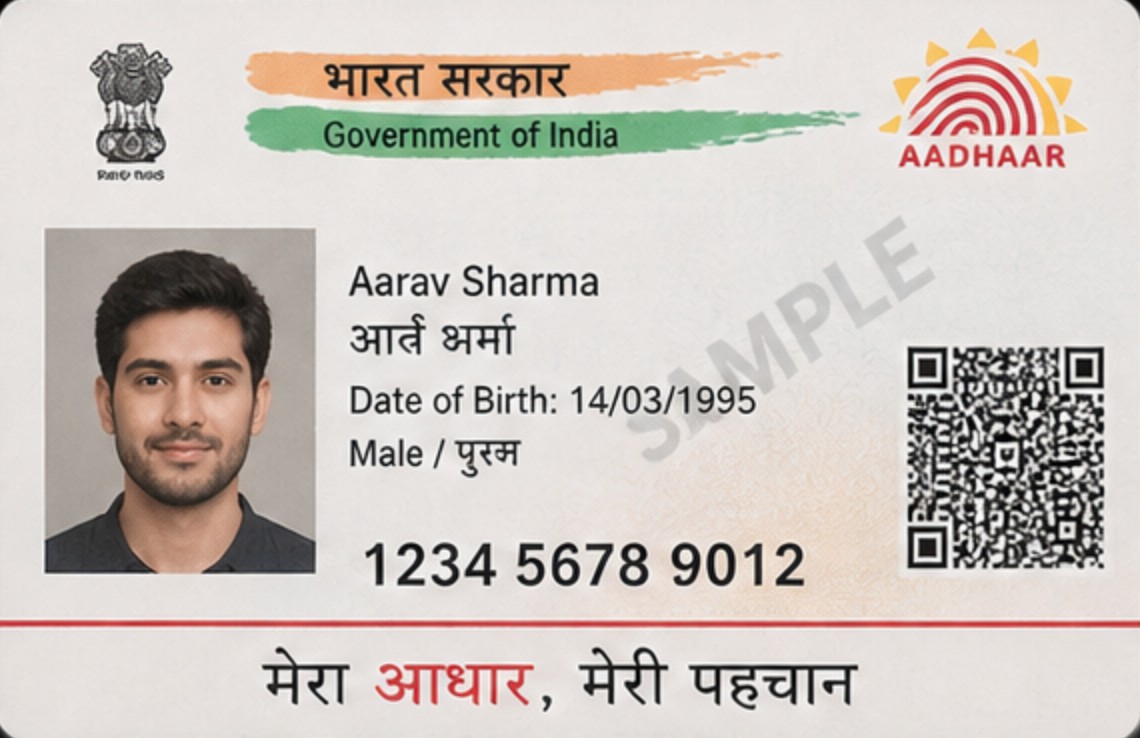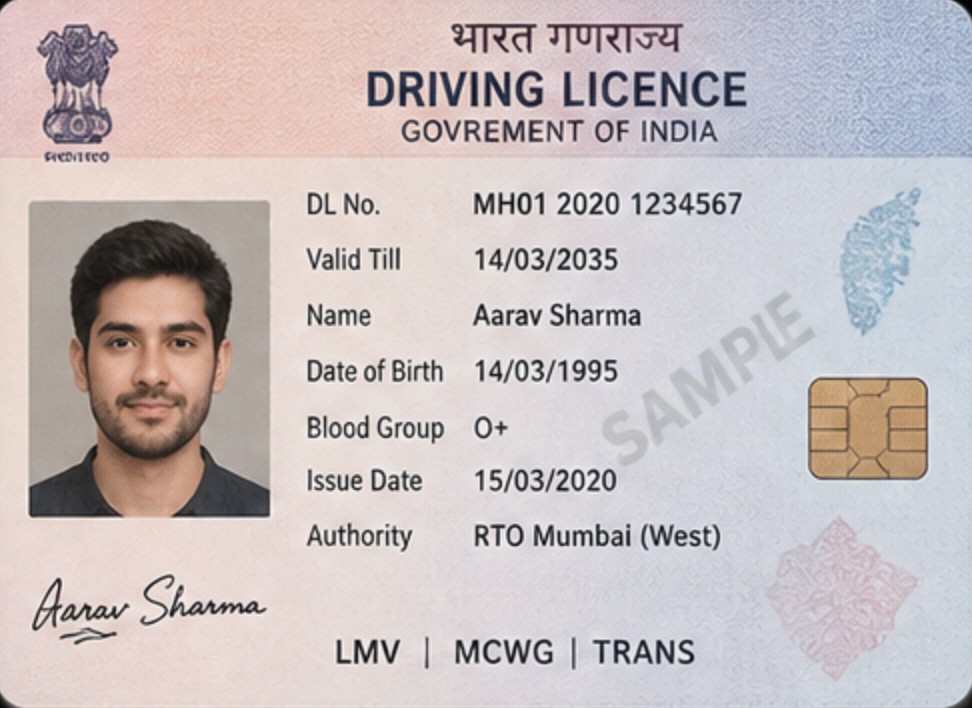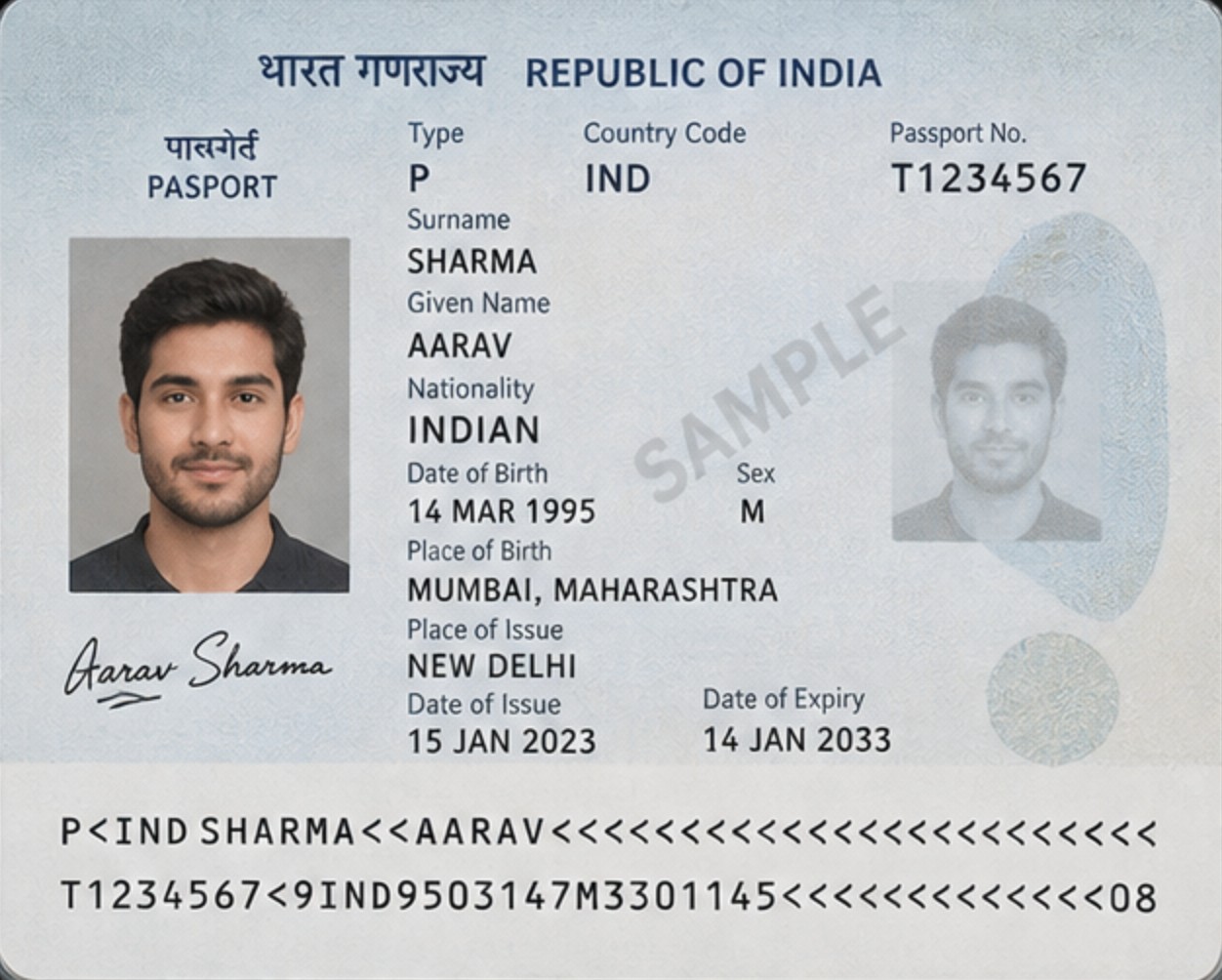
01QUICK CHECK-IN
Scan. Check.
Done.
The guest scans their ID on their own phone. The form fills itself. Your staff just checks and confirms, less retyping, with human review.

Guest registration software for Indian hospitality
Simplify guest registration for Indian hotels and homestays with digital check-in, identity document capture, and organized guest records.
Start with your property. Ask for setup help or training whenever you need it.
Product illustrations use fictional records. Registration opens the real account setup.A check-in link or QR opens the guest journey in a browser.
Explain what is needed and why. Guests provide the relevant information.
Check document details, correct extracted text and review the stay.
Keep registration details organized for the property.
Registration is not a reservation engine, door access or proof of identity. Platform rules and applicable requirements still apply.
Whether you rent out one Airbnb room or run a 300-room hotel, CheckInd works the same simple way.
The guest scans their ID on their own phone. The form fills itself. Your staff just checks and confirms, less retyping, with human review.
Every login needs sign-in. Only staff you add can open guest records. ID numbers are hidden in the register.
Records are stored in your property’s own workspace, never mixed with anyone else’s. Search or export any time. Kept as set out in our Data Policy.
Collect passport, visa and stay details. Expanded OCI support and Form III preparation are in development.
FORM III IN DEVELOPMENTSEE HOW →HOW IT WORKS
For independent hosts and property managers, including hosts with properties listed on Airbnb. Bring clarity to guest registration, without turning the welcome into paperwork.
A villa, an apartment or a homestay. Prepare applicable guest details before arrival, review them yourself and keep the stay organized.
Two guests arrive on Friday. The host checks which registration details are required, explains why, then reviews the completed record before welcoming them.
Start with a clear booking and property context for each stay. Agree who reviews the details and keep registration separate from access instructions.
An operator prepares separate arrival checklists for Apartment A and Apartment B. This illustrates a working practice, not a portfolio dashboard, team-permission feature or synchronized booking feed.
For bookings on Airbnb, external registration and document requests must meet applicable requirements and platform policy. Guest registration is not door access or proof of legal identity.
CheckInd is an independent third party and is not endorsed by or associated with Airbnb, Inc. or its affiliates.
Organize passport, visa and stay details. Expanded Form III preparation, including OCI support, is in development.
Explore Form III reporting ↗Capture identity documents and review guest details. OCR-assisted extraction is under review; it does not prove document authenticity.
Explore document review ↗Find a stay without searching through a paper ledger. Property access and data-handling responsibilities remain important.
Explore guest registration ↗OCR-assisted extraction is under review and is not currently advertised as available. Document details always need human review; OCR does not establish authenticity.
Try it: edit the field or apply the suggestion. Nothing is saved in this fictional preview.
BUILT FOR INDIAN HOSPITALITY
SECURITY & DATA
The operator dashboard requires sign-in.
Records sit inside the property workspace they belong to.
Review what information is collected, who can access it and how it is retained. See the Data Policy.
Extracted fields stay editable and are reviewed before submission.
Explore account setup yourself, or see how registration could fit your property first.
Sign up, add your property details and review your workspace. Setup help and training are separate, optional next steps.
Sign up →Tell us about your stay and the questions you want answered. Demo booking has its own dedicated path.
Book a demo ↗Add your contact and property details, then follow the account verification steps. Setup help and training are optional; ask the team if you need assistance.
Guests should use the property-specific stay link supplied by their host. Product illustrations use fictional records.